Welcome to SierraBooks Invoices
SierraBooks Invoices is a professional, high-performance billing utility designed to streamline estimates, invoice generation, wireless printing, customer tracking, and real-time inventory management. Engineered for absolute reliability, the application runs seamlessly across iOS, macOS, Android, and the Web.
Whether you are looking to customize the app for your business’s unique workflow or license the underlying source code for your own software development, we are ready to collaborate. Reach out to our engineering and product teams at .
—
⚡ Dual Operational Modes
Unlike traditional accounting applications, SierraBooks is engineered with a dual-architectural engine to adapt perfectly to your business topology:
Mode 1: QuickBooks Online Integration Connect SierraBooks directly to your Intuit QuickBooks Online company. Generate estimates, invoices, and register payments in the field—fully offline. The moment you regain internet connectivity, SierraBooks safely synchronizes and reconciles all transaction payloads back to QBO, ensuring seamless financial ledger accuracy.
Mode 2: Standalone Billing System (Absolute Control) Operate entirely independent of external accounting software. In Standalone Mode, your local and secure cloud-synced databases are the absolute, authoritative source of truth. Enjoy lightning-fast performance, offline-first data safety, and zero external software dependencies.
—
📲 Platform Availability
Install native high-fidelity builds directly onto your device.


Launch the fully featured SierraBooks Web client instantly in any modern web browser.
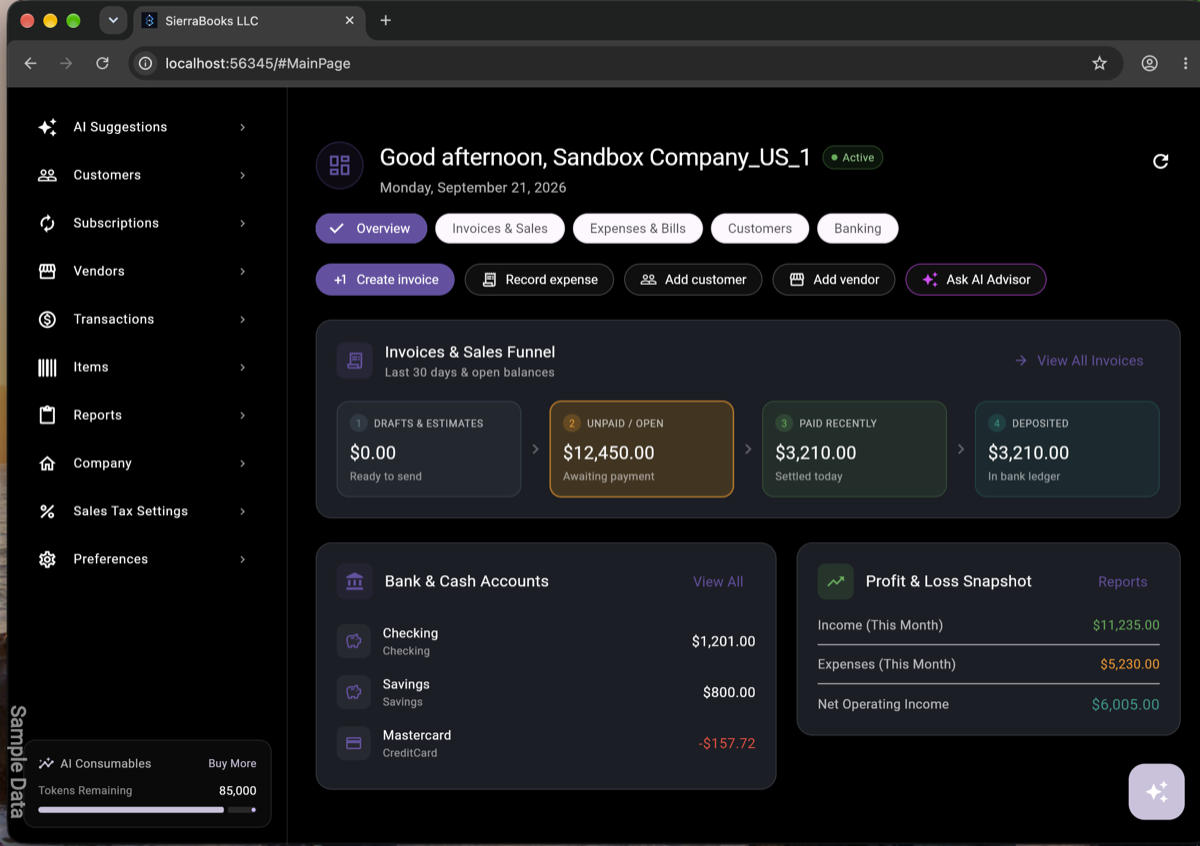
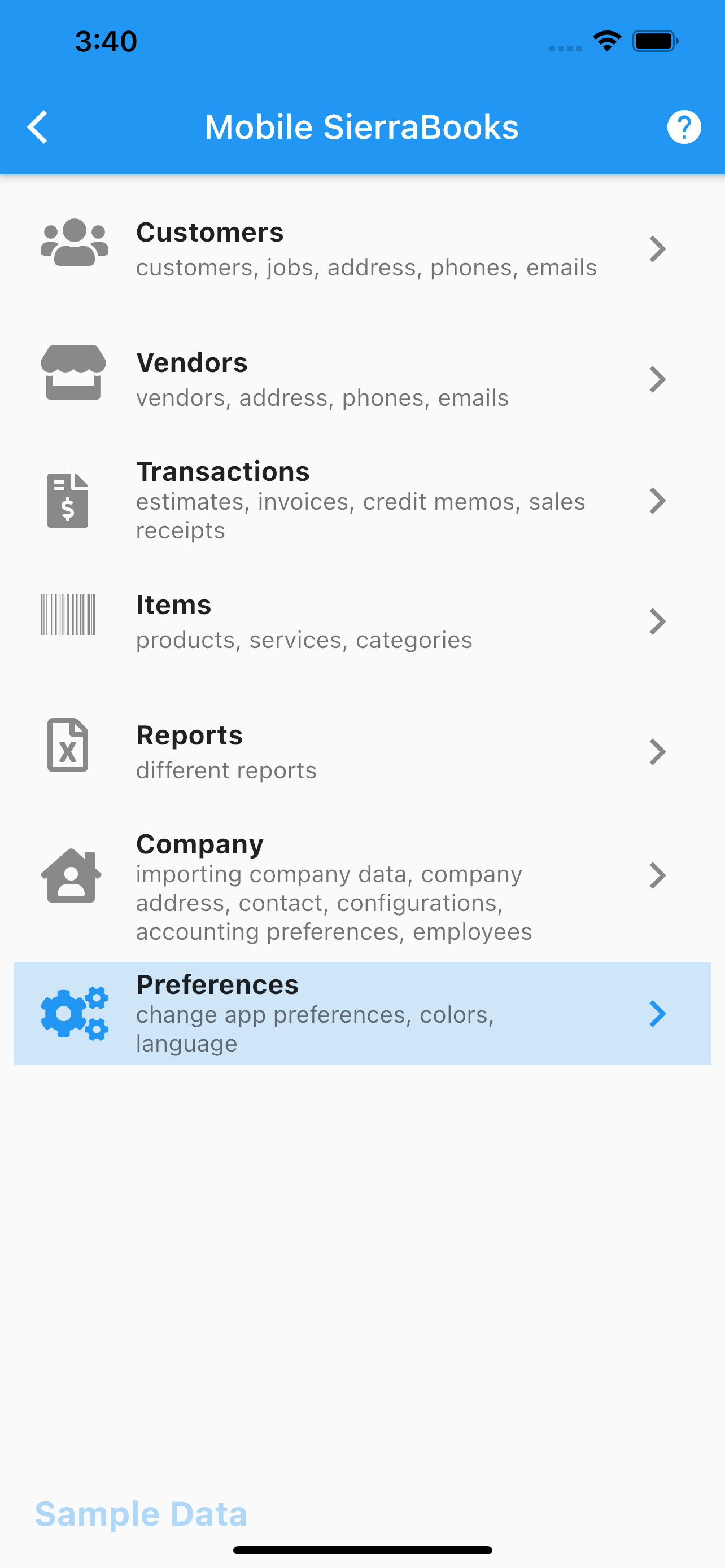
Test drive SierraBooks live in your browser on interactive Google Pixel 9 and iPhone frames before installing!
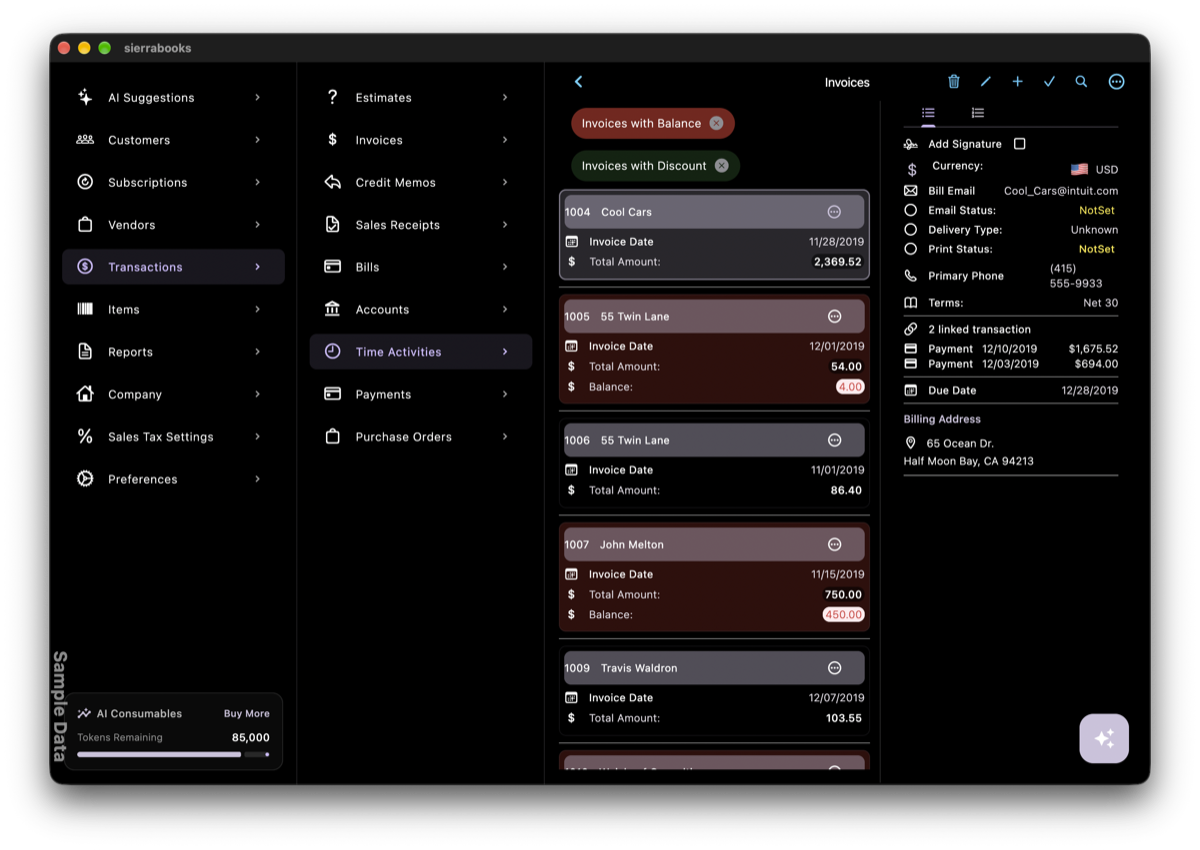
We are bringing the absolute power of SierraBooks natively to macOS. Experience blazing-fast performance, offline-first accounting, and a gorgeous, native desktop experience designed to match Apple’s modern aesthetics perfectly.
—
🔌 Built-In Enterprise Integrations
SierraBooks is pre-engineered with direct, secure SDK integrations to power your business workflow:
Real-time two-way synchronization for active invoices, estimates, customers, and items.

SierraBooks is officially listed on the Socket Mobile Partner Directory. Seamlessly connect physical SocketScan™ S700 Bluetooth barcode scanners or use SocketCam for high-speed inventory and checkout.
Plan and schedule client billing events directly. Syncs flawlessly with Google Calendar and Google Contacts.

Accept dynamic secure client card payments. Generate and share Stripe Payment Links on invoices.
Process secure credit card payments. Sync transactions, generate checkout URLs, and reconcile ledgers.

Embed personalized scheduling links and generate smart client booking QR codes directly on estimates and invoices.

Direct PayPal Invoicing v2 and Commerce Platform integration. Send professional PayPal draft invoices, share buyer links, and receive payments worldwide.

—
🧠 Generative AI & Multimodal GenUI OCR Engine
SierraBooks is one of the very first business and invoicing applications on iOS, macOS, Android, and the Web to introduce interactive Generative UI (GenUI) backed by Google Gemini, leading a new era of AI-driven bookkeeping.
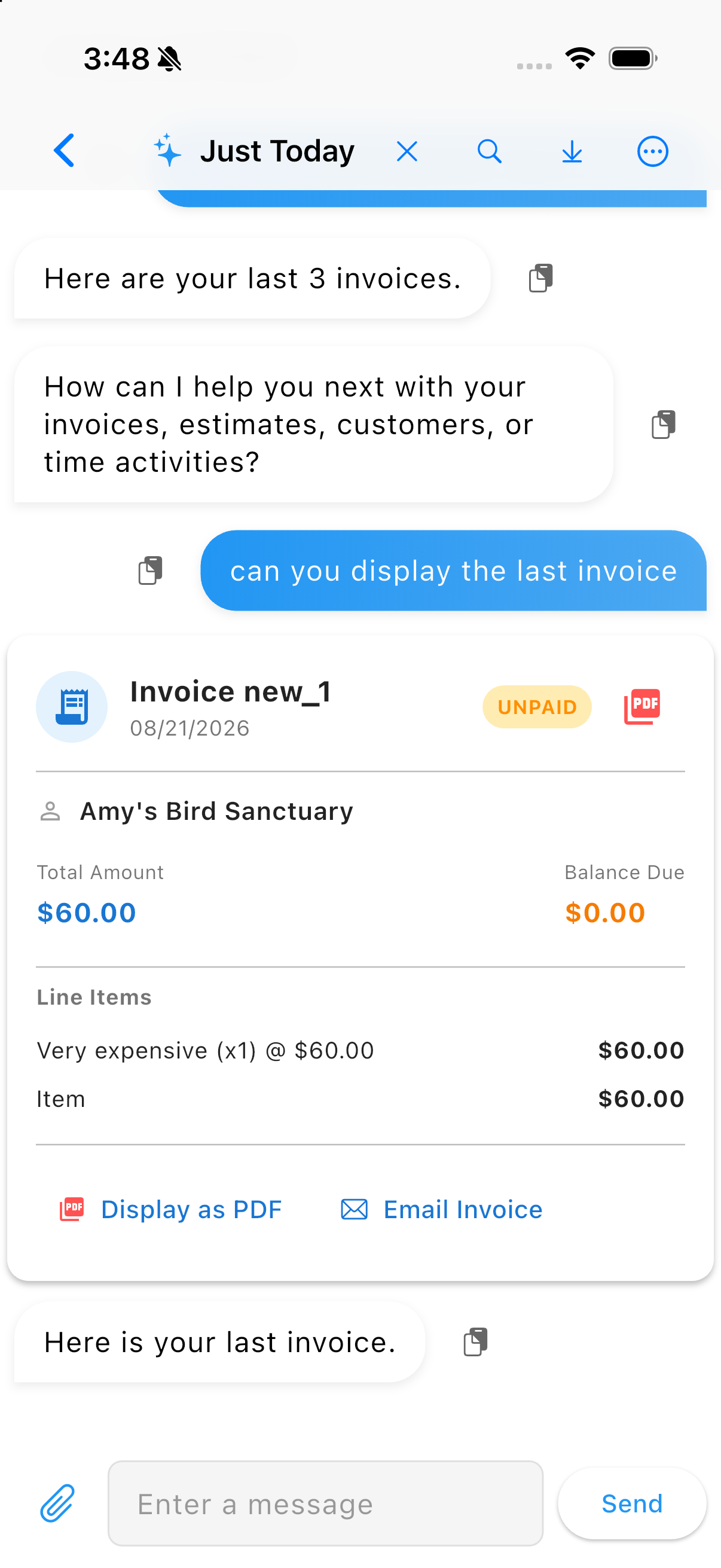
Engage with your financial records naturally. Ask for insights, locate recent sales, summarize customer records, or perform instant transactions using standard conversational voice or text commands.
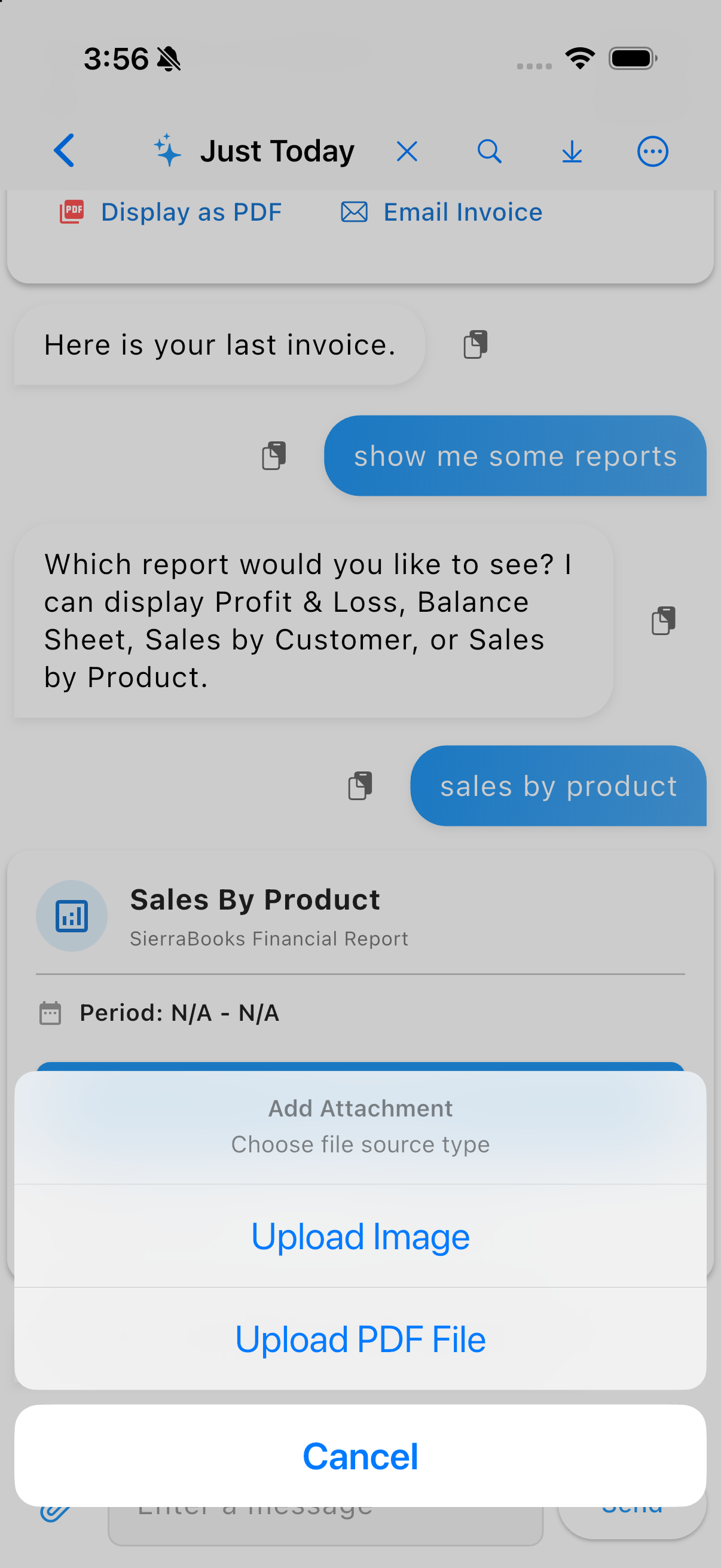
Process physical receipts, supplier invoices, printed estimates, or PDF documents with a single tap. Snap a photo or attach a PDF file, classify its type, and watch Gemini automatically extract totals, line items, and emails with absolute precision.
Parsed documents aren’t just shown as plain text. SierraBooks pioneers the industry as one of the first iOS and Android apps to deliver fully functional, interactive GenUI cards rendered directly inside your chat feed, allowing you to inspect and modify billing structures in real-time.
Every GenUI card acts as a secure, real-time draft. Tapping the embedded “Save to SierraBooks” action writes the transaction directly to Firestore, instantly refreshing the card to a verified state with a success checkmark.

Get complete financial visibility right inside your chat window. Ask Gemini for analytical insights like “Muéstrame el reporte de pérdidas y ganancias” or “Sales by Customer” to get highly polished, interactive report cards with custom date ranges.
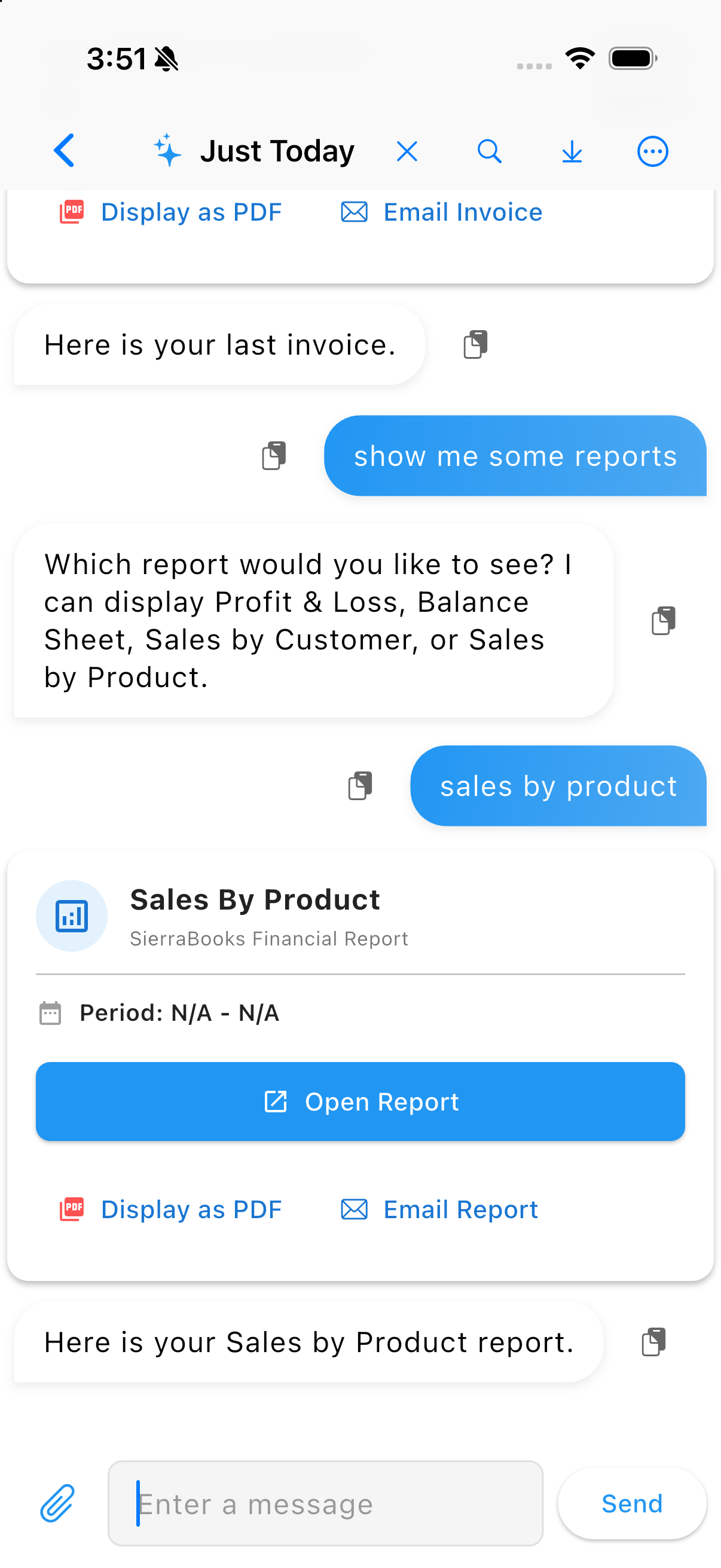
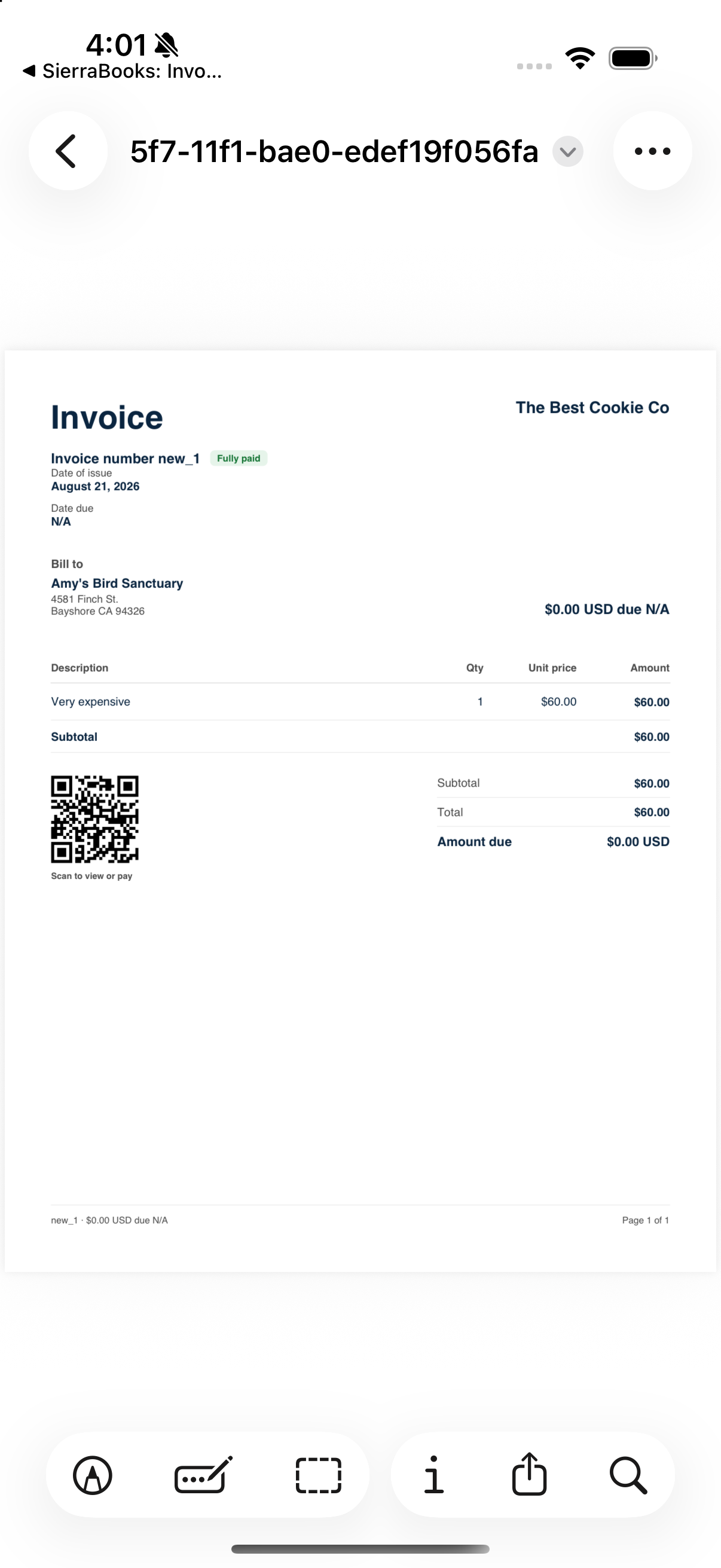
Print or share professional documents instantly. Tapping the integrated action menu inside any invoice, estimate, or sales receipt chat card compiles a crisp PDF document on the fly, opening the native share sheet or routing directly to AirPrint, Mopria, and web printer dialogs.
Why SierraBooks Outperforms Traditional Dashboards: Unlike static web portals (such as Stripe’s native dashboard) that only render passive tables and isolated figures, SierraBooks delivers a Unified Financial Dashboard supercharged by Generative UI (GenUI):
Multi-Backend Intelligence: Combines live Stripe payments, customer IDs, and subscriptions with QuickBooks Online accounting ledgers under a single, cohesive KPI view.
Interactive GenUI Widgets: Invoices, estimates, sales receipts, and financial reports are generated as real-time, actionable Flutter widgets directly inside your workspace—complete with inline status pills, live PDF export, and seamless editing.
Conversational Drill-Downs: Replace complex manual filtering with natural voice or text queries (e.g. “Show my open Stripe invoices” or “Give me today’s sales breakdown”) and receive instant, executable GenUI cards on the spot.
Watch Gemini AI and Flutter dynamically construct structured GenUI cards and handle conversational billing requests in real time:
—
🚀 Core Capabilities & Feature Matrix
Intelligent Unified Dashboard & GenUI Superpowers: Outperforms static web portals (like Stripe Dashboard) by merging Stripe & QuickBooks Online data into real-time KPI metrics with interactive conversational GenUI widgets.
Comprehensive Billing Documents: Create and manage high-fidelity PDF Invoices, Estimates, Sales Receipts, Credit Memos, and Purchase Orders on the go.
Universal Wireless & Direct Printing: Built-in support for Apple AirPrint (iOS & macOS), Mopria and Android Print Services, and Web browser printing. Print crisp customer invoices, receipts, and packing slips directly to laser, inkjet, or wireless thermal printers.
On-Screen Digital Signature Capture: Let clients authorize agreements, estimates, and invoices with a digital signature directly on your touch screen or trackpad.
Granular Multi-User Security: Provision accounts with role-based restrictions. Securely configure individual user access levels for reading, creating, updating, or deleting specific business documents.
Rich Media Attachments: Attach high-quality images, receipts, and descriptive files directly to invoices, estimates, or customer profiles.
Offline-First Resilience: All core data, customer registries, and item inventories are cached locally, allowing full operation in remote locations with automatic cloud-syncing on reconnect.
—
👀 Test Drive with Sample Data
Want to see SierraBooks in action? We believe in absolute transparency. You can test drive the app immediately using our Anonymous Demo Mode loaded with fully populated pre-engineered sample data.
No email, no credentials, and no signups required—just a direct, hands-on experience: 👉 Launch Anonymous Demo Guide
—
📸 Application Interfaces
Design Evolution Note
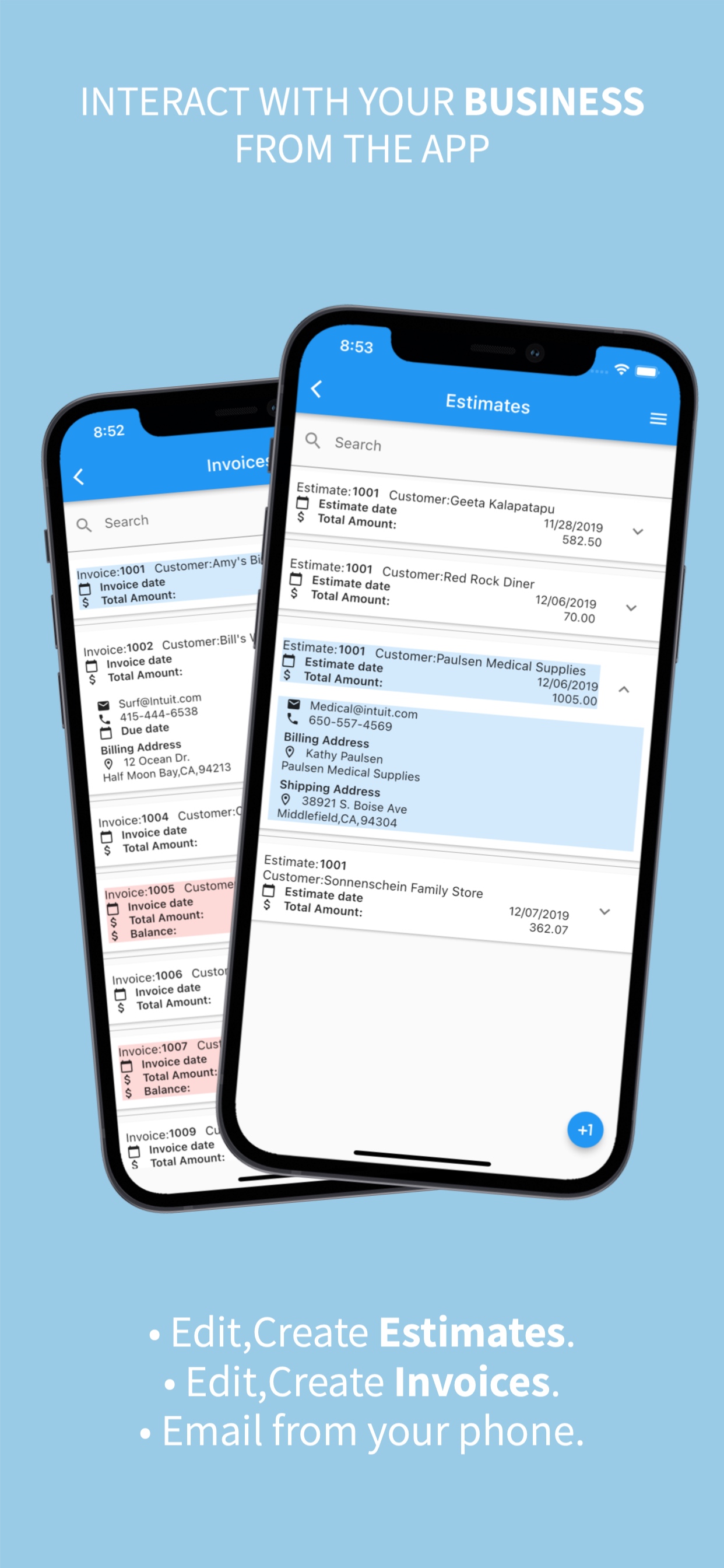
Please note: While the functional reference screenshots below outline our rich features, the live production application is constantly updated and features an even more polished, premium, and modern aesthetic (including a gorgeous dark mode, glassmorphic layout components, and smooth micro-animations).
—
📊 Ready to Get Started?
Select the pricing tier and platform integration that perfectly aligns with your business goals: 👉 Review App Subscription Options
Screenshots
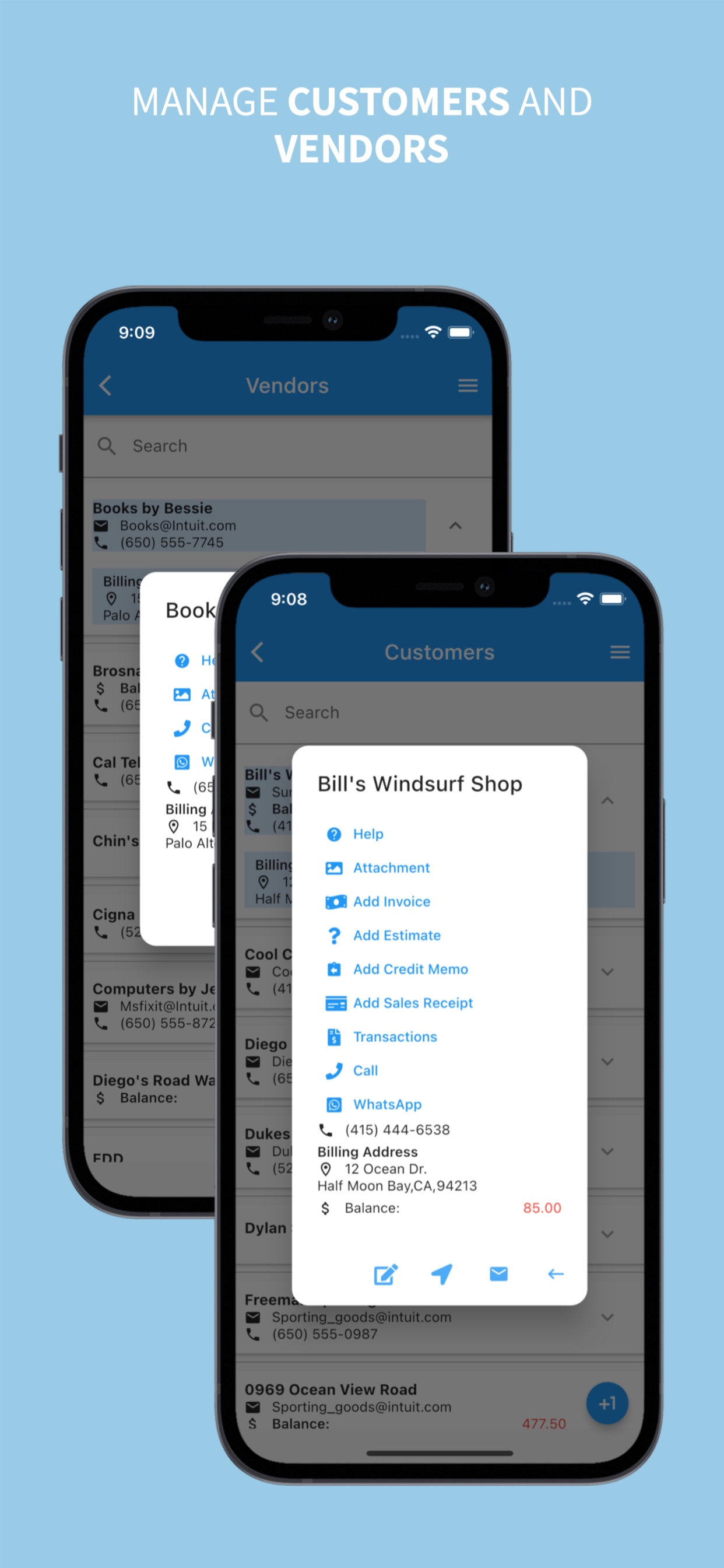
Panes Login, Main Page, Customers, Vendors
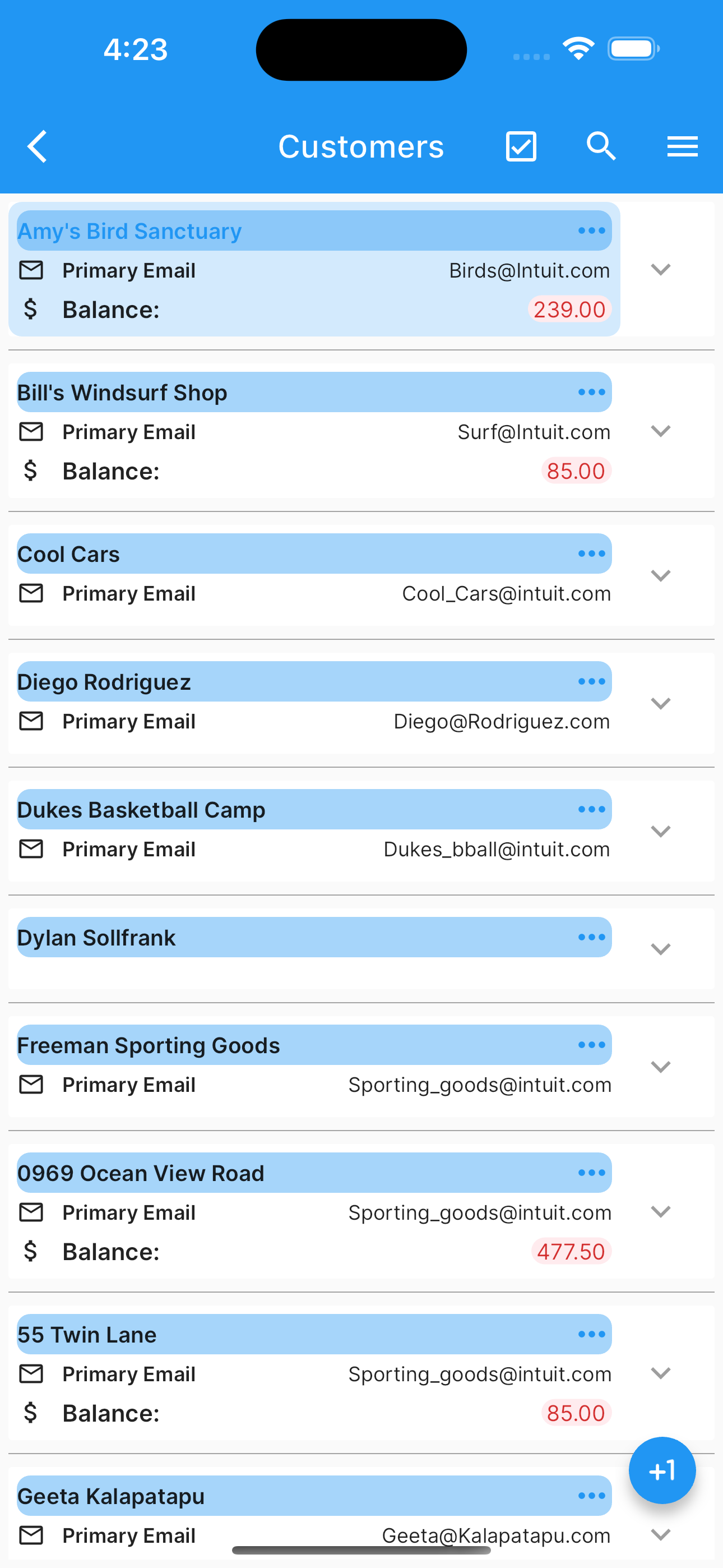
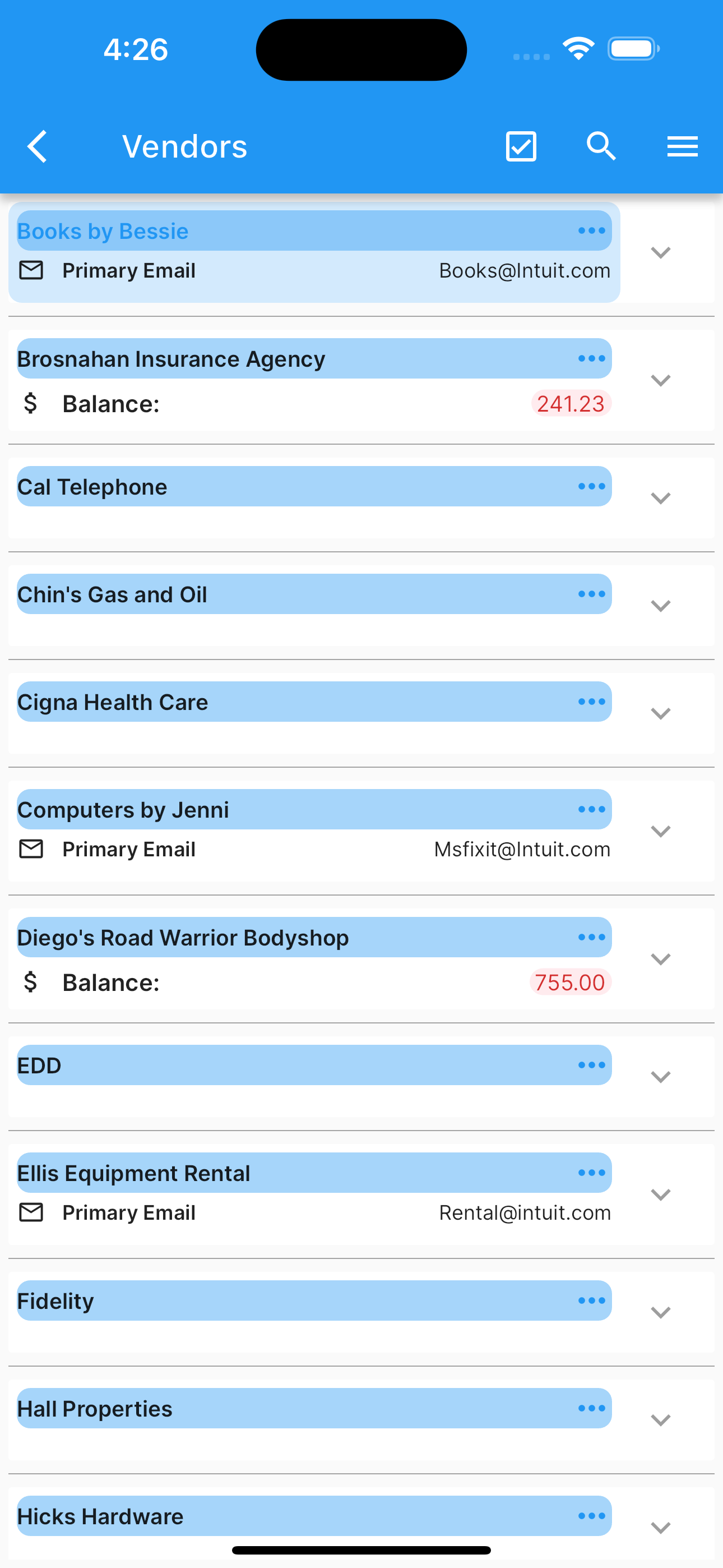
Pages.
Using Smart QR Codes on Invoices & Estimates
Welcome to SierraBooks! To make managing your business transactions as effortless as possible, every Invoice and Estimate you generate or receive features a smart QR Code in the footer.
By simply scanning this code with your smartphone or tablet, you can instantly view, pay, or manage the document in real-time—without typing a single invoice number or searching through emails.
What is the Smart QR Code?
The smart QR Code is a secure, high-resolution barcode located at the bottom of your printed or PDF documents.
+---------------------------------------------+
|                 SIERRA BOOKS                |
|                                             |
|   Invoice ID: #INV-00123                    |
|   Status: Unpaid                            |
|                                             |
|       [ QR CODE ] <--- Scan with Camera     |
|                                             |
+---------------------------------------------+
It acts as a secure, direct link to your document. When scanned, it instantly brings up the live, up-to-date version of that specific Invoice or Estimate.
How to Scan and Retrieve Your Document
Accessing your document takes only seconds:
Locate the Code: Find the square QR Code in the bottom footer of your printed paper invoice or digital PDF file.
Scan with Your Phone: - On iPhone or Android: Open your phone’s built-in Camera app and point it at the QR code. - On Desktop: If viewing the PDF on your computer, you can scan the screen with your mobile phone camera.
Open the Link: Tap the notification banner that pops up on your screen.
View and Manage: - If you have the SierraBooks App installed, the app will instantly open to the document page. - If you do not have the app installed, it will open securely in your mobile web browser, where you can view all details.
Key Features & Actions
Once scanned, you can perform several convenient actions directly from your device:
Real-Time Status: View the exact current status of the document (e.g., Paid, Unpaid, or Overdue for invoices; Approved or Pending for estimates).
Instant Payments: Pay your invoices securely on the spot using our supported secure payment gateways (such as Stripe or PayPal).
Save & Share: Download a clean, official PDF copy to your device or share it instantly with others via email or messaging apps.
Instant Edit (For Operators): If you are an authorized SierraBooks business operator logged into the app, scanning the code bypasses search menus and takes you directly to the edit screen.
Frequently Asked Questions
Do I need the SierraBooks App to scan the QR code? No. While having the app provides the most seamless experience, scanning the QR code works perfectly using any standard smartphone camera. It will open a secure web page where you can view and pay your invoice.
Are these QR Code links secure?
Yes. Every QR code uses an encrypted secure link pointing to our official verified domain (sierrabooks.biz). No unauthorized users can access your billing records, and all payment processing is protected by bank-grade security.
Why does the status on my paper document differ from the scanned page? Paper documents are static, but our QR codes are dynamic. The scanned page always displays the live, real-time status of your account. If you paid an invoice yesterday, scanning your old paper copy will show it as successfully Paid.
The QR code won’t scan. What should I do? - Make sure there is adequate lighting on the document. - Hold your phone steady and about 6–12 inches away from the code until the camera focuses. - If you are viewing a printed document, ensure the print is clean and not smudged or wrinkled.
Official Production Use
SierraBooks Invoices is engineered to secure your transactional data while providing low-friction authentication mechanisms. Follow these guidelines to initialize your active company workspace.
—
🔒 Secure Authentication Options
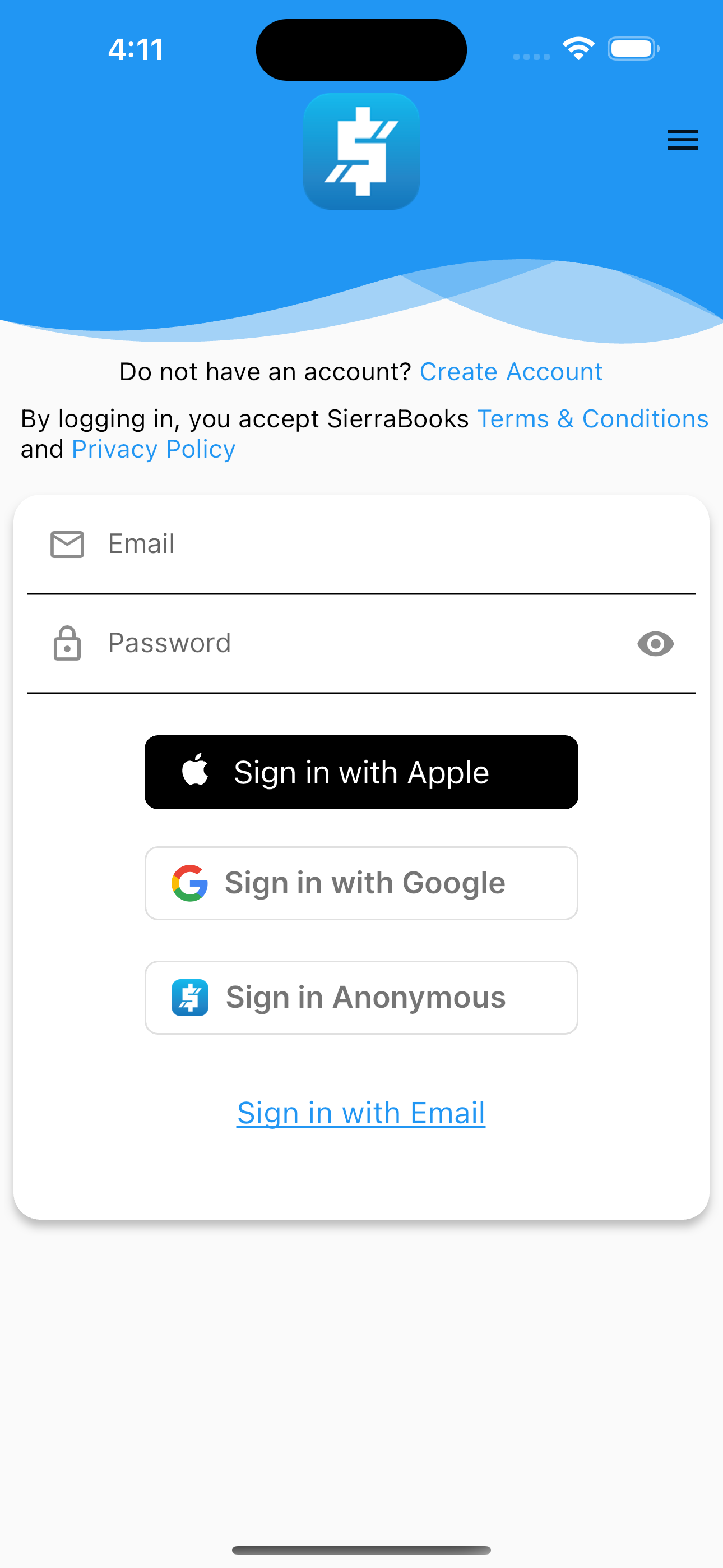
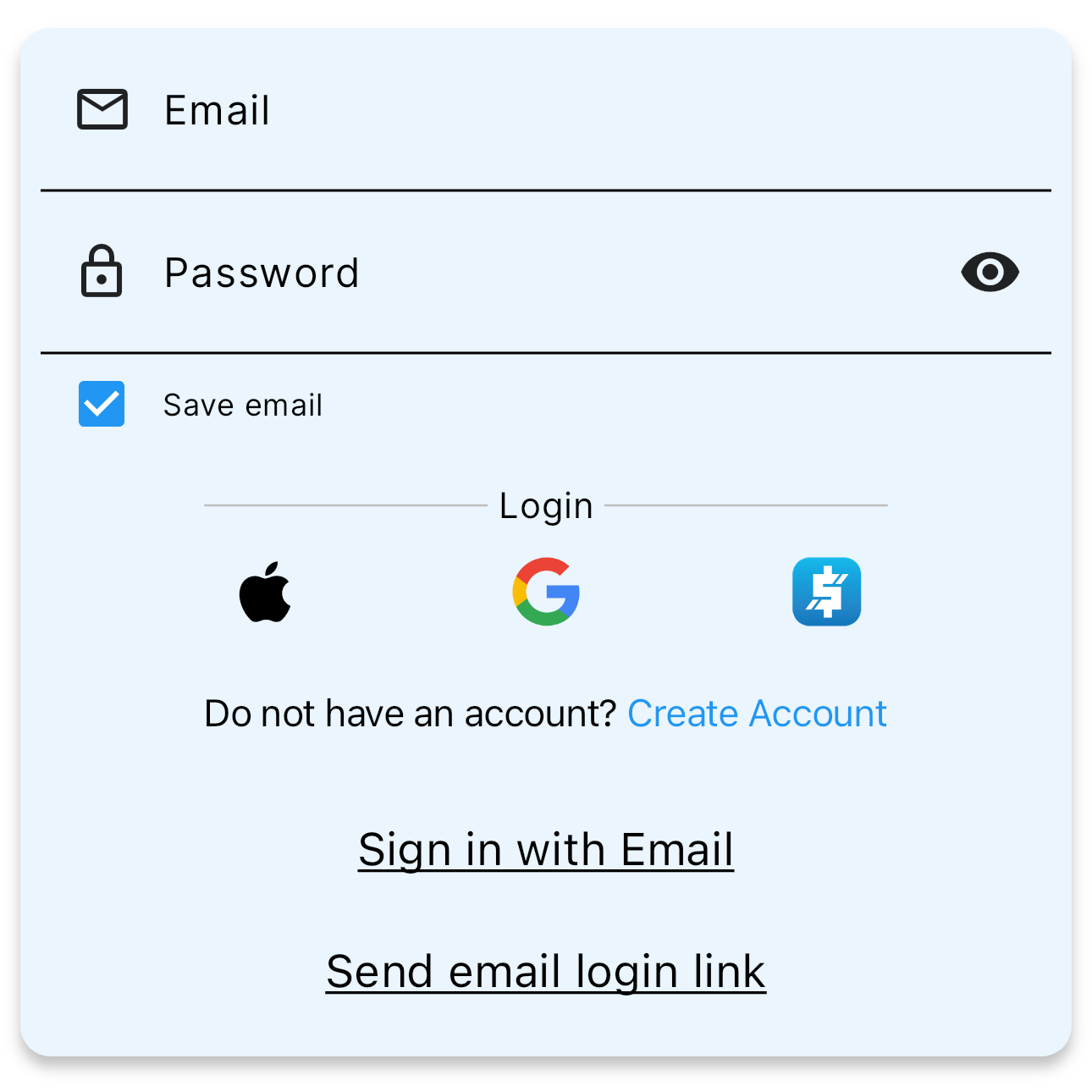
When launching the application, you can authenticate using any of the following secure channels:
Traditional Credentials: Log in securely using your registered email address and private password.
Biometric Sign-In: Enable biometrics (Face ID, Touch ID, or Android Fingerprint) for single-tap, instant access.
Social Identity Providers: Log in with a single click using Sign in with Apple or Sign in with Google.
Passwordless Email Magic Link: Forgot your password? Request a secure magic login link sent directly to your registered inbox.
Standardized authentication console for corporate and field operations.
—
💼 Active Dashboard & Modules
Upon successful authorization, the SierraBooks Invoices Main Page acts as your command cockpit:
Customer Registry: Create, update, and search your entire customer portfolio. Refer to our Customers Reference.
Vendor Directory: Manage procurement records and active contacts. Refer to our Vendors Reference.
Transaction Engine: Process dynamic invoices, estimates, credit memos, purchase orders, and sales receipts with integrated on-device PDF generation and wireless printing. Refer to our Transactions Reference.
Financial Reporting & Printing: Gain instant, offline-first visual insights with built-in reports, featuring direct one-tap wireless document printing and PDF sharing. Refer to our Reports Reference.
Item Catalog: Organize and view product catalogs and service items. Refer to our Items Reference.
Company Profile: Customize your company settings and manage employee sub-user accounts. Refer to our Company Info Reference.
App Preferences: Set custom currency configurations, theme coloring, and hardware options. Refer to our Preferences Reference.
—
🖨️ Wireless Printing & Document Sharing
SierraBooks Invoices provides built-in on-device document generation and wireless printing across iOS, Android, and macOS:
Instant Document Printing: Print professional customer invoices, sales receipts, estimates, and purchase orders directly to AirPrint, Mopria, or network-connected thermal and laser printers.
Financial Report Output: Export and print detailed sales reports (Sales by Customer, Product, Department, P&L, Inventory Valuation) with a single tap.
Direct PDF Sharing: Effortlessly share compiled PDF documents via email, messaging apps, or cloud storage using native OS share sheets.
To pair a hardware Socket Mobile Bluetooth barcode scanner (such as the high-performance SOCKETSCAN 700 SERIES) for point-of-sale or warehouse inventory tracking, visit the official Socket Mobile Guide.